Free
$0 / month
Try Sizely on one product line.
- 1 size guide
- Size recommendations
- English and Arabic
Sizely turns your size chart into a size recommendation on every product page. Shoppers answer four quick questions, with no tape measure, then see their size and how it fits on a body like theirs. Fewer wrong sizes, fewer returns.
Free plan · 14-day trial on paid plans
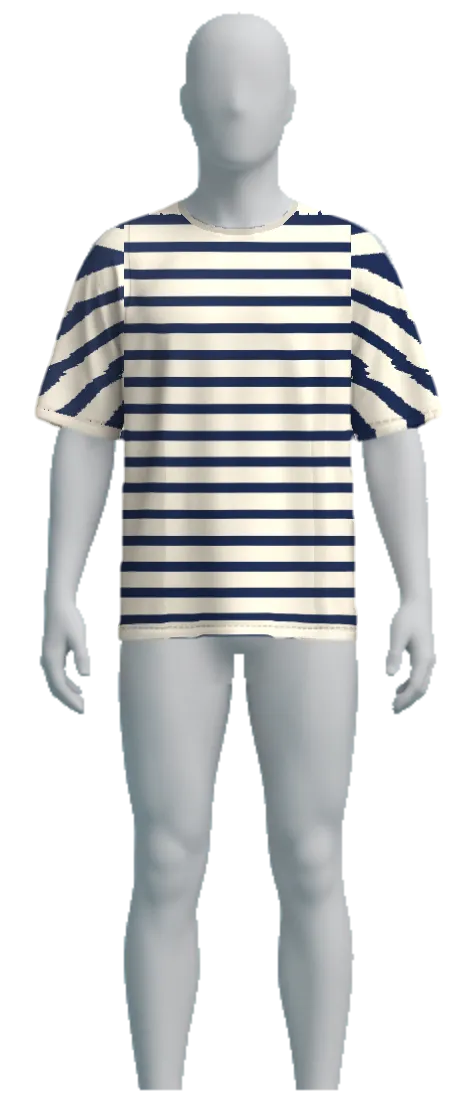 M · Loose, as the brand intends
How it works
Paste the table you already have. On Fit and Fit Pro a photo or PDF of the chart works too. You check the sizes before anything goes live.
Height and weight, body shape, tummy, and how they like clothes to fit. Pictures, not numbers. No tape measure and no sign-up.
Their size with how sure Sizely is, the size picked in your product form, and your garment drawn on a body like theirs.
Orders keep the answers. When something comes back for size, Sizely adjusts that chart so the next shopper gets a better call.
Live demo
This is the real Sizely widget, the same code your shoppers get. Pick a product, tap Find my size and answer the questions.
Fit: the recommendation and a fit preview on a mannequin.
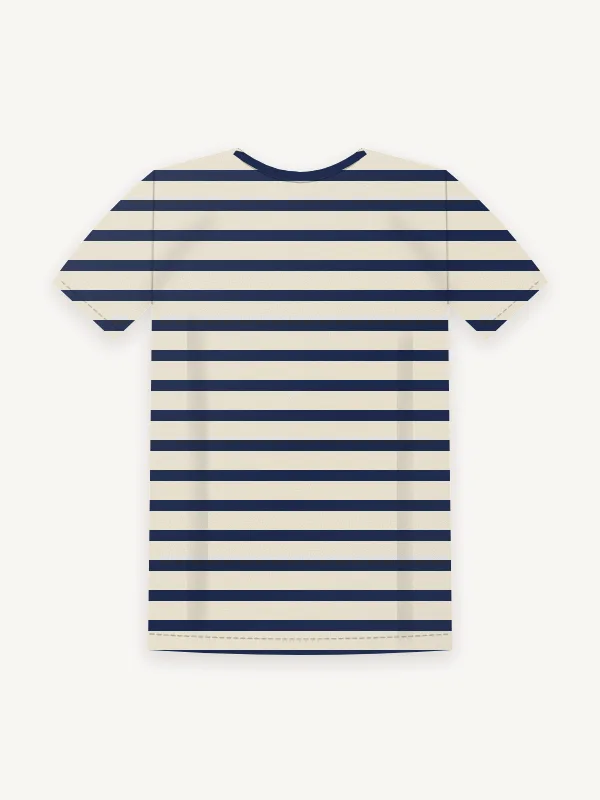
$38
The garments are drawn for this demo. Your answers stay in this browser.
Learning
A size chart is a guess about how clothes fit. Your orders show how they really fit. Sizely connects the two, product by product.
On Fit Pro, Results shows the returns Sizely saves, how often shoppers take the recommended size, and which products run small or large.
The shopper's answers and size travel with the order line.
Returns and exchanges for size are matched to that line.
The chart's fit is recalibrated and the next recommendation moves with it.
Built for your store
A theme app block. Put it under the price, the options or Add to cart, and match your theme's colours and font or choose your own.
Arabic and English built in. Arabic shoppers get the whole size guide in Arabic, laid out right to left.
Recommends only the sizes the product is made in, uses your size names, and says when a size is sold out.
Reads stretch from the fabric in your product description, so a stretchy knit and stiff denim are judged differently.
No tape measure, no photos of the shopper and no account. Four questions, then the answer.
Tops, long sleeves, trousers and jeans, skirts, dresses and outerwear.
Pricing
Paid plans start with a 14-day free trial. Billing runs through Shopify.
Questions
Most size returns start with a guess against a chart the shopper can't measure against. Sizely asks four quick questions instead, recommends a size from your own chart, shows how it will fit, and then learns from the orders and returns that follow, product by product.
Yes. Sizely is a Shopify app that turns your size chart into a fit finder: a size recommendation and a fit preview on each product page. You install it from the Shopify App Store and place it with your theme editor.
No. They answer four questions by tapping: height and weight, body shape, tummy, and how they like clothes to fit. Shoppers who know their measurements can enter them instead.
It estimates the shopper's measurements from their answers, compares them with your chart and how the garment is meant to fit, and shows how confident it is. As orders and returns come in, it adjusts each chart.
Your size chart. Paste it, check it, and choose which products it applies to. Then add the Sizely block in your theme editor, or let it appear automatically.
By default it takes your theme's font and colours. You can set your own colours, button style and position from the app.
Yes. The size finder is fully translated into Arabic with right-to-left layout, and it follows your store's language, so Arabic and English shoppers each see their own.
Paid plans bill monthly through Shopify after 14 days. You can move to the Free plan or uninstall at any time.
Install Sizely, paste one chart, and see it on your own product page in minutes.